








1 Notion Planner: The Road to Ultimate Productivity
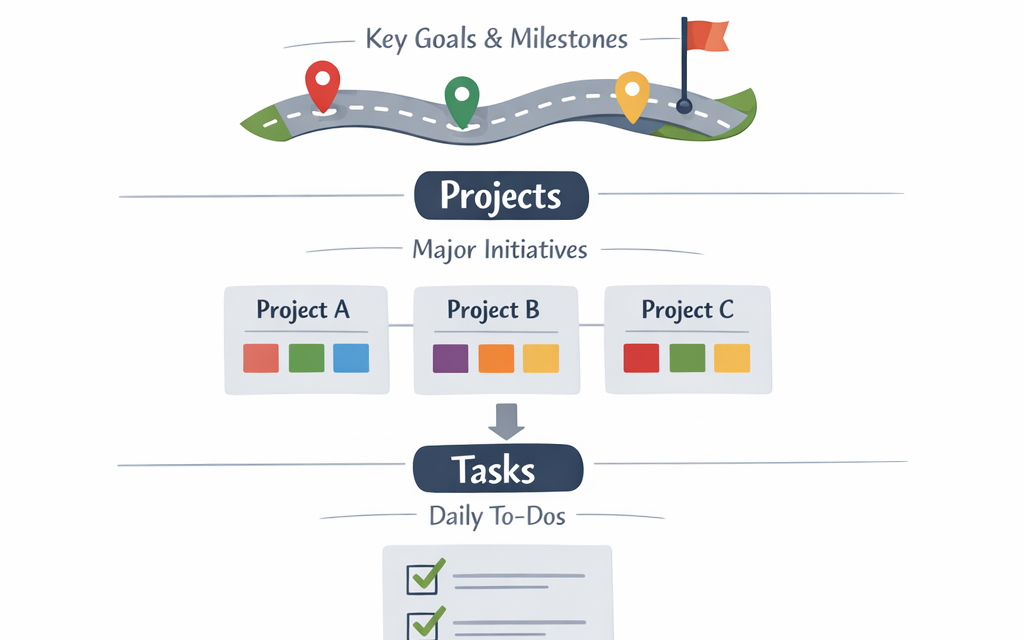
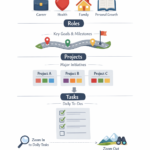
The RRTP Framework
Over the past three months, I’ve taken some time away from actively working on ‘Power of Planning’ — for a variety of reasons — but I certainly didn’t stop evolving my productivity system during that time. In fact, over the holidays, I redesigned my entire system from the top down so that it’s now fully unified across linked Notion databases.
Where It Started
When I first began planning my weeks, I drew heavily from the framework I discovered in The 7 Habits of Highly Effective People — a book that still shapes many of my life principles.
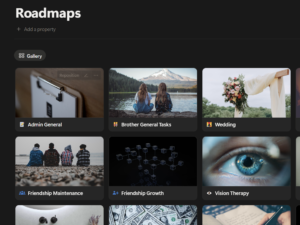
Initially, I focused on generating tasks based on the different roles I play in life. This worked well at first, but after a while, I noticed that many of these tasks were too broad to be truly actionable. That insight led me to introduce Roadmaps for my main roles. Each roadmap contained projects — bigger, more strategic goals such as:
- Planning an event
- Reaching a milestone in a work project
- Making a big life decision
- Learning a new skill
The Big Shift: Projects as Strategic Goals
This was a significant leap forward. Instead of trying to create actionable daily tasks directly from my roles, I now had projects — strategic goals with clear direction — as an intermediate layer. This structure made my daily tasks much more focused and aligned with where I should spend my time.
While this system was effective, it wasn’t fully efficient in Notion. My roadmap pages were set up as templates (a solid start), and I added an automation to copy tasks from roadmap pages into my tasks database. Good progress — but I wanted more.
My Three Main Productivity Goals
When revamping my system, I wanted to:
- Minimize manual Notion page creation.
- View my tasks holistically, regardless of role.
- Decouple roadmaps from roles, so that big, cross-role goals could be tracked without rigid role connections.
How ChatGPT Helped Me Rework Notion Databases
In exploring ways to achieve these goals, I consulted ChatGPT — and thanks to Notion’s wide adoption and rich online community, I quickly found the building blocks for a better system.
The breakthrough came when I realized I could link global databases using rollups to automatically pass properties down from higher levels (Roadmaps → Projects → Tasks). That meant:
- Databases are now global — no splitting by role.
- I can filter by role when needed.
- Linked properties reduce manual effort: create a roadmap, assign a role, and every related project and task inherits it automatically.
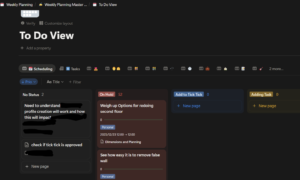
The RRTP Hierarchy
My current structure now flows like this:
Global Roadmap Table → Global Project Table → Global Task Table
- Roadmaps: Assign a role once.
- Projects: Linked to their roadmap automatically.
- Tasks: Linked to projects (and therefore roadmaps and roles) automatically when created from roadmap pages.
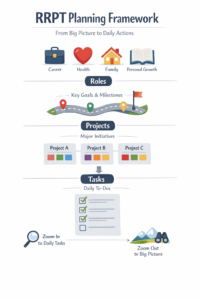
Why This Works So Well
With Roles → Roadmaps → Projects → Tasks, I can plan at multiple levels:
- Zoomed out: Strategic direction at a role or roadmap level.
- Zoomed in: Daily actionable steps.
It’s effortless to generate meaningful daily tasks that remain aligned with my bigger goals, and equally easy to track progress at any zoom level.
Room for Improvement in Notion
One minor limitation remains:
When I create a task directly in the task table (instead of via a roadmap page), I still need to assign a project manually. The challenge is that tasks see projects from every roadmap, which can make selecting the correct one a bit fiddly.
It’s a small issue — but I’m keen to streamline it further.
Notion + PARA = My Digital Brain
Since adopting Notion at the start of 2025, my productivity has skyrocketed. The flexibility and visibility it offers have been game-changing. Alongside RRTP, I also embrace the Projects, Areas, Resources, Archives (PARA) methodology from Building a Second Brain, which has helped me organize information and priorities even more effectively.
If you use a productivity system or software that’s boosted your efficiency, I’d love to hear about it in the comments — I’m always looking for ways to refine and enhance my setup.